

AI Filmmaking: Workflow, Tools, and Production Guide
Learn what AI filmmaking is, how AI video production works, and how to plan, generate, review, and finish cinematic AI video projects.
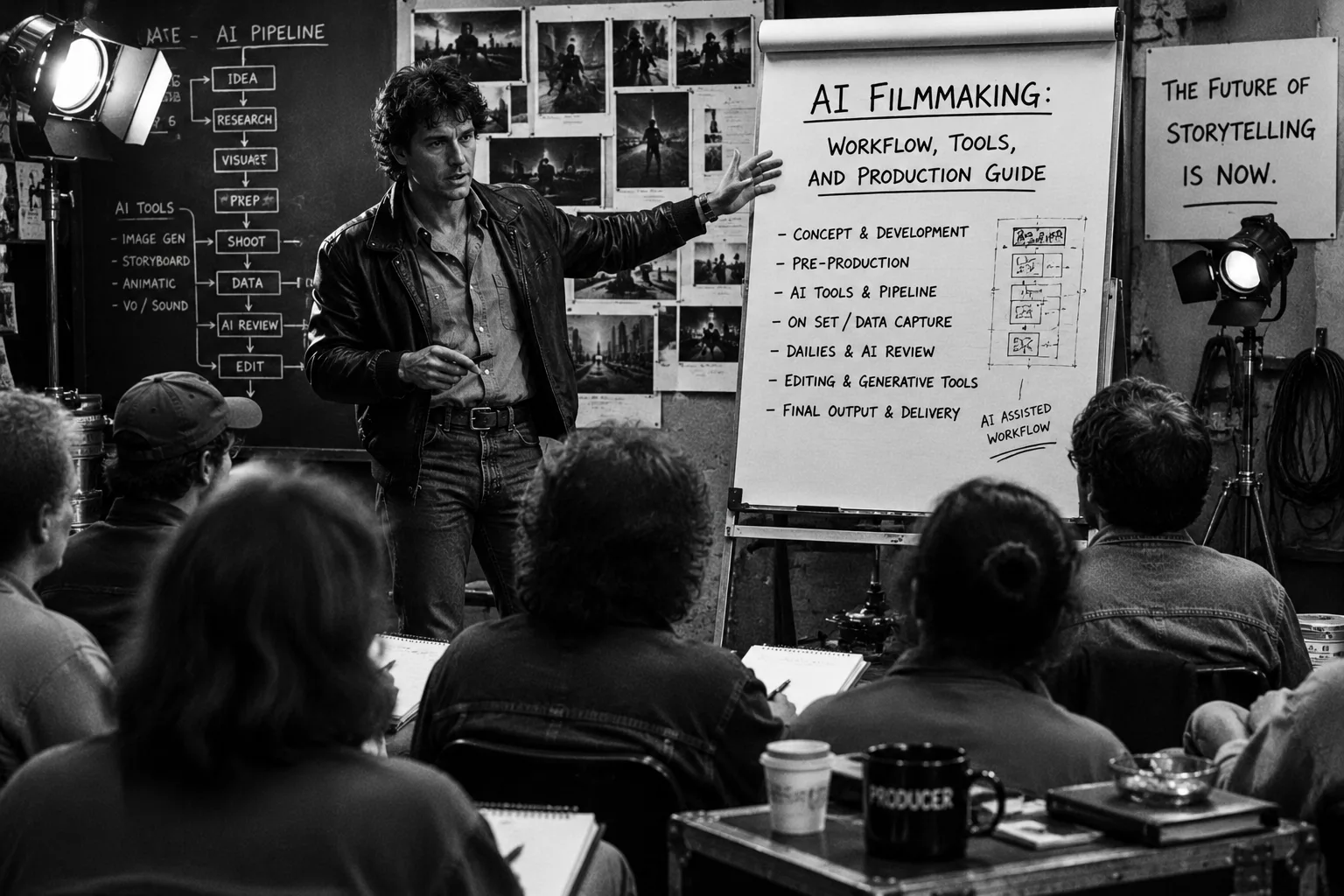
AI filmmaking isn’t a magic “make a movie” button; it’s a fully fleshed-out production workflow. You can use AI to brainstorm concepts, gather reference material, generate your shots, and compare takes, but the human job remains exactly the same: directing the scene, maintaining continuity, clearing rights, picking the best takes, and handing clean files over to the editor.
Think about a standard two-minute short film. You might have one character, three locations, twelve shots, six usable takes, one round of dailies, and an editor who desperately needs to know which clip goes where. That is what practical AI filmmaking actually looks like.
What is AI filmmaking?
When we talk about AI filmmaking, we are talking about using AI tools throughout the entire process - from development and pre-production all the way through generation, review, and final delivery. Sure, the raw output might be a computer-generated clip, but the actual film is born from human choices: story structure, shot standards, editing, and approvals.
The terminology gets confusing because people use it to describe three entirely different things:
- AI-assisted editing: Using AI to help make cuts, clean up audio, add captions, or create different versions of existing footage.
- AI video generation: Creating brand-new moving images by feeding text, images, video, or audio into a model.
- AI film production: The overarching system that connects those AI tools to standard production elements like assets, scenes, shot lists, dailies, and handoffs.
That final production layer is what keeps a project from falling apart. A generative model can spit out a gorgeous ten-second clip, but the film team still has to answer the practical questions: Does the actor look like they did in the last shot? Does the screen direction make sense? Can the editor actually use the beginning and end of the clip? Who signed off on this?
Where AI fits across film production
AI belongs wherever your team needs faster options, clearer references, or generated clips for a specific job. What it shouldn’t do is replace your actual production plan. You need to lock down the scene’s purpose, the shot’s intent, and your review standards before anyone burns through generation credits.
Development
AI is great for pressure-testing loglines, brainstorming character arcs, generating look-books, and putting together pitch materials. Just treat these outputs as rough drafts. A human director still has to exercise taste and throw out the flashy ideas that don’t serve the narrative.
Pre-production
Use AI to build your shared visual language. Create mood boards, character reference sheets, animatics, and location concepts before you try to generate final shots. Rushing into generation with bad references just leads to expensive, time-wasting churn.
Generation
Think of the AI as your camera department. You give it a shot description, references, camera movement notes, and performance directions, and then it generates takes. Some takes will inevitably fail, and that’s fine - those misses help you refine your next prompt.
Review and Post
This is where AI filmmaking looks like traditional production. You reject the bad takes, pick the strongest options, send out notes, and gather your dailies. From there, post-production takes over to add sound, music, color grading, and titles.
AI filmmaking workflow table
A solid workflow maps every single stage to a specific job, risk, and output. This prevents your team from treating every random generated file as equally important.
| Stage | AI use case | Inputs | Outputs | Risk to watch | Lotix-relevant need |
|---|---|---|---|---|---|
| Development | Idea tests, tone boards, pitch frames | Logline, audience, references, constraints | Concept options and visual direction | Pretty ideas with no story job | Project brief and asset library |
| Pre-production | Storyboards, character references, shot lists | Script, scene breakdown, cast, locations | Scene plan and reference pack | Continuity drift before generation starts | Scenes, shots, assets, notes |
| Generation | Text-to-video, image-to-video, video-to-video takes | Shot brief, references, prompts, settings | Generated takes with context | Lost settings and mystery exports | Shot plans, takes, prompt history |
| Review | Take comparison and dailies selection | Generated clips, shot standard, comments | Rejects, maybes, selects, approvals | Subjective notes without a decision path | Comments, statuses, dailies, roles |
| Post | Edit support, captions, sound sketches, cleanup | Selected takes, edit notes, references | Timeline-ready material and support assets | Editor receives clips without context | Handoff package and approval record |
| Delivery | Versioning, cutdowns, thumbnails, localizations | Final edit, brand rules, platform needs | Delivery variants and campaign assets | Untracked changes after signoff | Final decisions tied to project history |
How to plan an AI film project
Start by defining the core story, then build your references, scenes, and prompts around it. You want every generated clip to be directly traceable back to your original creative brief.
Set the project container first
Before generating anything, set up your project container. This holds your runtime target, delivery format, team roles, and review rules. Setting this up early ensures every take has a specific purpose and someone responsible for reviewing it. Outline the basic rules: what counts as a select, what requires producer review, and what needs legal clearance.
For the step-by-step setup, use the AI video project workspace tutorial.
Build your reference library
References aren’t just for inspiration; they anchor your project’s identity. Treat wardrobe, locations, props, and lighting notes as actual production assets. For character-heavy projects, build specific reference packets for each person (face, full body, wardrobe, props) to maintain consistency. If you don’t write down the details, the AI model won’t remember them.
For recurring performers, the character consistency workflow and character reference sheet tutorial give you a stronger visual target before generation starts.
Break scenes into shots with acceptance criteria
Write out your shots with a clear story purpose, framing details, and a simple pass-fail standard. A note like “The detective crosses frame left to right and notices the red envelope” gives reviewers a concrete standard to judge. Vague notes like “Make it cinematic” just lead to arguments.
Use storyboard examples for AI video when the team needs shared shot language before generation.
Generate takes, not loose files
Every output should be treated as a specific take attached to a shot. Save the prompt, references, duration, and comments alongside the file. This stops people from having to hunt for the right export and lets a producer easily ask why take 04 suddenly lost the main prop.
Review dailies with narrow questions
When reviewing dailies, judge one thing at a time: continuity, performance, camera movement, or edit usefulness. This keeps the process moving. End every review with an action: approve the take, regenerate it with a change, or move it to editorial.
The review takes and dailies guide gives teams a tighter review pattern for that pass.
AI filmmaking tools by production job
Pick your tools based on the job, not the hype.
- Text-to-video is best for quick explorations or abstract action where strict visual control isn’t necessary.
- Image-to-video is crucial when you have a specific storyboard frame or character reference that needs to anchor the shot.
- Video-to-video is perfect when you need existing motion or source footage to dictate the blocking.
For stylized or animated-looking footage, the AI animation generator workflow explains why the animation label still needs shot plans, references, and review.
For a broader comparison by production job, use the AI filmmaking tools guide. For the generation side of the work, the AI in video production workflow shows how inputs and review standards change once the team starts making clips. For movie-style projects, the AI movie maker guide and AI movie trailer maker guide narrow the workflow around scenes, trailers, and edit rhythm.
If the modality itself is still open, start with the broader AI video generator category, then compare the text-to-video AI, image-to-video AI, and multi-shot Seedance workflow guides before locking the project plan.
Multimodal models like ByteDance’s Seedance 2.0 can process text, image, audio, and video inputs, but always double-check provider limits and terms before budgeting your production. If you need infrastructure to actually manage all of this - projects, dailies, roles, and handoffs - tools like Lotix keep the focus on production management rather than just being a fancy prompt box. The Lotix product workflow focuses on that production layer: projects, assets, scenes, shots, takes, dailies, roles, review states, and handoff context.
A sample AI short-film workflow
The trick to a good workflow isn’t generating one perfect clip; it’s generating a dozen connected clips that actually work together.
- Set the container: Define the story, format, roles, and review states.
- Build the library: Collect your character sheets, location images, and sound direction.
- Break down the shots: Split the script into scenes and detailed shots with pass-fail criteria.
- Generate takes: Use the correct AI modality, attach references, and save the prompt data with the output.
- Review and approve: Pick the best options based on your shot standards and hand them off to the editor with full context.
In practice: Imagine a producer starting a two-minute proof of concept. The director breaks the script into three scenes: an apartment, a hallway, and a street. Scene one needs a wide shot, a close-up, and an insert. The team generates several takes for each specific shot, rejects the obvious failures, and sends only the strong candidates to dailies. By the time the editor gets the files, they receive the approved clips along with scene orders and notes on why each take was chosen, rather than just a messy download folder.
Continuity, rights, disclosure, and governance
Because AI-generated video can look polished immediately, you have to stay disciplined about continuity and legal rights.
- Continuity: Write down the non-negotiables (wardrobe, props, eye line, time of day) and check every take against them so you don’t realize a coat changed color in shot seven while you’re in the edit bay.
- Rights: The U.S. Copyright Office links copyright to human authorship. Always document the human creative contributions, source inputs, and editing arrangements for your project.
- Disclosure: If you’re doing commercial work, the FTC requires clear disclosures. Decide early on what your audience, client, or platform needs to know about the synthetic elements in your video.
- Governance: Decide right away who is allowed to generate, who has approval power, and which assets are cleared for use. Figuring this out early saves huge headaches later.
When a team needs workflow infrastructure
A team needs dedicated workflow infrastructure the second your project stops being a quick solo experiment and turns into a real production. If you are dealing with repeated characters, multiple shots, review notes, and an editor who needs organized context, a standalone generator isn’t enough anymore.
That’s exactly where Lotix comes in. It organizes the work using standard production terms - scenes, shots, dailies, approvals - so you can preserve the decision trail and hand off material to post-production efficiently.
Plan the AI film workflow in Lotix when your folder starts asking production questions: which scene, which shot, which reference, which take, which approval, and which handoff.
Official references
- ByteDance Seed: Seedance 2.0: Details on model-input language.
- ByteDance Seed launch post: Official positioning for Seedance 2.0.
- U.S. Copyright Office AI initiative and copyright basics: Guidelines framing human-authorship requirements.
- FTC digital disclosure guidance: Requirements for clear disclosures in advertising.
AI filmmaking FAQ
What is AI filmmaking?
It is the integration of AI systems into a standard film workflow to help develop ideas, create references, generate shots, and test edits. It still fundamentally requires human direction and editing.
Which parts of filmmaking can AI help with?
AI can assist with concept boards, storyboards, generating video clips, voice tests, and cleanup. It works best when every AI output is tied directly to a specific scene and approval path.
What AI filmmaking tools do teams need?
Most teams require planning software, reference storage, video and image generators, editing tools, and a dedicated workspace to track decisions.
Can AI films be used commercially?
Yes, but it depends heavily on the specific model’s terms, talent releases, platform policies, and copyright rules. You need to run clearances just like you would for a traditional production.
How do filmmakers keep characters consistent with AI?
Consistency requires a highly detailed reference set - including face, body, wardrobe, and lighting details. You have to track inconsistencies shot-by-shot to fix prompts effectively.
When is an AI video generator enough?
A generator is perfectly fine on its own for one-off tests, pitch fragments, or quick social posts. You only need a full workspace when you are managing scenes, recurring characters, and editorial handoffs.
Free workspace
Create your free Lotix workspace.
Plan your shots, manage your assets, generate takes with built-in Seedance, and keep generation spend visible with monthly tokens inside Lotix.
- Plan shots around scenes, references, and review needs
- Manage characters, locations, props, and production assets
- Generate Seedance takes with visible token usage