

Character Consistency in AI Video: How to Keep People, Wardrobe, and Style Continuous
A production workflow for character consistency in AI video, covering identity, wardrobe, style, references, shot planning, takes, and review.
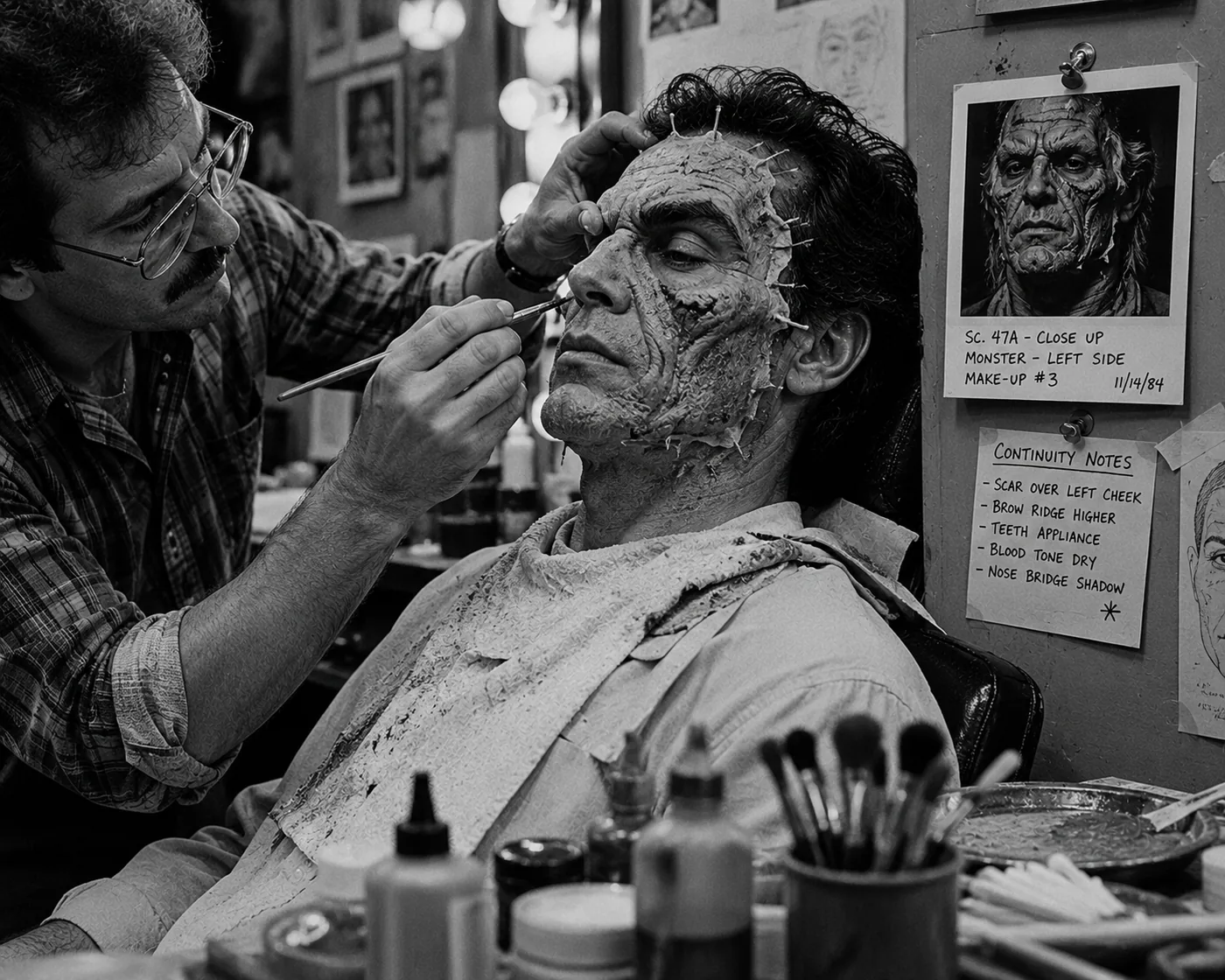
Character consistency in AI video starts with a repeatable workflow, not one perfect prompt. Build the character as a production asset, upload usable references, generate or select a character sheet, attach it to shot plans, and review each take for drift.
A prompt helps, but it can’t carry a whole production by itself. The character may look right in the first shot, then drift in the next one. Hair changes. Wardrobe becomes cleaner or newer. A scar disappears. The face reads as a cousin instead of the same person.
The fix is a production workflow: reusable character references, wardrobe states, style rules, shot plans, generated takes, and review criteria that all stay connected. That’s how teams move from “good clip” to a consistent character AI video sequence.
For the broader tool stack, start with AI filmmaking tools. For the full planning-to-dailies workflow, read AI in video production.
Key takeaways
Character consistency improves when teams treat identity, wardrobe, style, references, shot intent, and review as one workflow. Lotix supports that workflow by letting teams upload character references, generate character sheets directly in the workspace, and attach those references to shot plans and takes.
- Character profile: Define identity before generation starts.
- Reference sheet: Use uploaded character references to create a reusable visual target when the character matters across shots.
- Wardrobe state: Track costume changes separately from the character’s core identity.
- Shot priority: State which reference controls face, wardrobe, pose, lighting, motion, or frame anchor.
- Review standard: Judge takes against the character plan, not only the prettiest frame.
- Production memory: Use a workspace when the same character appears across scenes, shots, and dailies.
Why AI video character consistency breaks
AI video character consistency breaks when the inputs change faster than the production memory. Prompts, source images, frame anchors, reference videos, wardrobe notes, and settings all shape the result. If each shot uses a different target, the character starts drifting between takes.
Common continuity breaks include:
| Continuity break | What the team should check |
|---|---|
| Face, age, or hair drift | Compare the take against the character sheet and approved close-up reference. |
| Wardrobe changes | Check color, fabric, damage, fit, and scene-specific costume notes. |
| Props disappear | Confirm the shot plan names the prop and attaches the right reference. |
| Lighting changes identity | Compare the shot against the scene’s lighting and camera rules. |
| References stop carrying forward | Make sure the next shot inherits the right character asset. |
| Selected takes lose context | Keep prompt, settings, references, and review state attached. |
The problem isn’t only model quality. It’s production memory. If a team keeps re-describing a character from memory, it should expect drift. If every shot uses a different image, different wardrobe language, and different style direction, the model has no stable target.
Stable AI video characters come from keeping the visual rules visible. When a take drifts, the team can see what changed, why it changed, and which part of the plan needs another pass.
Define the character before you generate
Define the character before generation by turning identity into a reusable production asset. Give the character a name, role, face details, posture, wardrobe state, marks, accessories, performance range, and allowed variations so every later shot has a clear continuity target.
A useful character profile should include:
| Profile field | What to capture |
|---|---|
| Character name and role | The name, story job, and relationship to the scene. |
| Age and identity markers | Approximate age range, face shape, hair, skin detail, posture, and silhouette. |
| Wardrobe state | The outfit for the current scene or sequence. |
| Marks and accessories | Props, scars, jewelry, glasses, damage, or other identity details. |
| Performance range | Tense, guarded, exhausted, playful, formal, distracted, or another usable acting lane. |
| Stable details | What must remain consistent across shots. |
| Allowed variation | What can change by scene without breaking continuity. |
Keep the profile short enough to use. A ten-page character bible may help development, but a shot plan needs practical continuity notes. “Mara wears a weathered navy field jacket, keeps her hair tied back in station scenes, and moves like she hasn’t slept” is easier to carry into generation than a long mood essay.
Separate identity from wardrobe. A character can be the same person in two outfits, but the model may treat outfit changes as identity changes if the notes are vague. If a scene needs a raincoat, formalwear, or damaged costume state, label that wardrobe state clearly.
Build an AI character reference system
Build an AI character reference system from a small set of clear images with defined jobs. When those references need to live beside shot plans and reviews, Lotix can store character references, profile notes, and generated character sheets directly in the workspace.
Useful references include:
| Reference | Job |
|---|---|
| Clean face reference | Controls identity, age read, hair, and expression range. |
| Front or three-quarter body view | Controls silhouette, posture, proportions, and outfit read. |
| Wardrobe state reference | Controls color, fabric, fit, damage, and accessories. |
| Expression reference | Controls performance attitude without rewriting identity. |
| Side or back view | Helps when silhouette, hair shape, or costume shape matters. |
| Approved take frame | Updates the character target when production selects a stronger version. |
An AI character reference sheet can collect those signals into one reusable visual target. In Lotix, you upload the character references, keep them with the character profile, and generate the sheet directly from that character asset. The sheet then becomes a canonical visual reference for the production.
Use the sheet as a review target. It helps the team brief shots, judge takes, and spot identity drift before approval.
For the tactical walkthrough, use the character reference sheet tutorial. This broader article explains where that sheet fits in the continuity workflow.
Keep wardrobe and style separate
Keep wardrobe and style separate because many character consistency problems come from costume or scene-language changes. A face can hold while the jacket, lighting, lens feel, or texture changes enough to make the character read like a different person across cuts.
Wardrobe continuity needs its own notes:
| Wardrobe note | Why it matters |
|---|---|
| Base outfit and scene outfit | Keeps identity separate from costume state. |
| Color, material, and fit | Prevents small changes from becoming new costumes. |
| Damage and weathering | Tracks story events across shots. |
| Visible wardrobe shots | Flags moments where the outfit must read clearly. |
| Distant or obscured shots | Lets the team simplify wardrobe when detail won’t matter. |
Style continuity needs its own rules too:
| Style rule | What to define |
|---|---|
| Camera language | Handheld, locked-off, slow push, observational, formal, or another style. |
| Lens and framing | Lens feel, camera distance, composition habits, and movement pace. |
| Lighting | Contrast, color temperature, practical sources, and atmosphere. |
| Texture | Glossy, documentary, analog, clean digital, stylized animation, or another finish. |
| Background behavior | Busy, minimal, smoky, architectural, naturalistic, or story-specific. |
If style shifts between shots, the character can feel different even when the face holds. A close-up under soft beauty lighting and a wide shot under harsh fluorescent light may both be valid, but the production should choose that contrast on purpose.
Write style rules at the scene or sequence level, then let each shot inherit them. That gives the generator a more stable world to work inside.
Plan shots around continuity
Plan shots around continuity by deciding what must survive in each frame. A close-up needs face, hair, eyes, and performance to hold. A wide shot may care more about silhouette, wardrobe color, movement, and the prop that identifies the character.
For each shot, define:
| Shot-planning field | What to decide |
|---|---|
| Shot job | Why the shot exists in the scene. |
| Character visibility | Close-up, medium, wide, back view, silhouette, or partial face. |
| Identity priority | Face, hair, body shape, posture, wardrobe, prop, or performance. |
| Reference priority | Which image, sheet, frame anchor, or video reference matters most. |
| Allowed variation | What can change without breaking continuity. |
| Review standard | What makes the take reject, maybe, selected, or approved. |
Not every shot needs the same level of identity control. A close-up needs the face and expression to hold. A wide tracking shot may care more about silhouette, wardrobe color, and movement. An insert may only need a hand, ring, sleeve, or prop to match.
This is why one master prompt rarely works. Continuity needs shot-specific direction. The model should know what matters in this frame.
Once shots have different continuity priorities, the planning surface matters as much as the prompt. Lotix lets teams organize story flow into sequences, scenes, and shots, then compose shot plans with references, frame anchors, prompt sections, camera notes, lighting, negative constraints, and review criteria. Lotix centers video generation support on Seedance 2.0 and Seedance 2.0 Fast, so generated clips become reviewable takes tied to the shot plan that created them.
Review takes for drift
Review takes for drift by comparing each output against the character plan, attached references, wardrobe state, style rules, and shot intent. A take can look impressive and still fail if the person, costume, performance, or scene language no longer matches.
When a take comes back, ask:
| Review question | What the answer tells you |
|---|---|
| Does the face still read as the same person? | Whether identity held. |
| Did hair, wardrobe, and accessories hold? | Whether costume and visible markers stayed consistent. |
| Did lighting or lens change identity? | Whether style rules altered the character read. |
| Did performance match the emotional state? | Whether the take serves the scene. |
| Did the reference guide the take correctly? | Whether the attached sheet or image did its job. |
| Did the take add a new detail? | Whether the team needs to track, reject, or adopt the change. |
| What status does it earn? | Reject, maybe, selected, or approved. |
Keep selected takes close to their source context. If a take becomes the new best version of the character, save the frame or notes that made it work. If a take fails, capture why. “Face drifted” isn’t as useful as “jaw narrowed, jacket became black, scar disappeared, lighting shifted from station fluorescent to fashion key.”
Lotix review and dailies use this production habit. Teams can review generated videos as takes, with status and context attached. That makes it easier for directors, producers, editors, and collaborators to compare continuity across a scene.
A character consistency checklist
Use this character consistency checklist before generating a multi-shot scene. It keeps identity, uploaded references, generated character sheets, wardrobe state, style rules, shot priorities, frame anchors, and dailies review connected before the team spends time on takes that may drift.
- Profile: The team has written and approved the character profile.
- Uploaded references: Source images are clean, consistent, and attached to the character.
- Character sheet: Lotix has generated or stored the character sheet, if the scene needs one.
- Wardrobe state: The scene names the outfit, damage, accessories, and allowed changes.
- Style rules: The scene or sequence defines camera, light, texture, and background behavior.
- Shot priority: Each shot names the identity detail that matters most.
- Reference job: Every attached reference explains what it should control.
- Frame anchors: The team uses frame anchors only when composition matters.
- Review criteria: Face, wardrobe, style, and performance appear in the review standard.
- Dailies: The team marks selected takes and carries them into dailies.
The checklist makes the production inspectable. When something drifts, the team can find the weak link instead of starting over.
When a prompt is enough
A prompt is enough when the character appears once, the clip stands alone, and nobody needs continuity later. Once the same person returns across shots, teams need uploaded references, character sheets, wardrobe states, shot plans, take review, and dailies for shared memory.
For a one-off social visual or quick internal test, you may not need a full reference system. A clean image prompt and a short description can be fine.
You need a stronger workflow when:
| Signal | Why a prompt stops being enough |
|---|---|
| The same character appears in multiple shots | Identity has to survive more than one generation. |
| Wardrobe changes affect story | Costume state needs tracking. |
| Different teammates generate shots | The team needs shared context. |
| Selected takes move into edit | Editors need to know what the team approved. |
| Client, likeness, or approval history matters | Governance and rights context need a record. |
| The team needs dailies | Review should happen in context, not in a file pile. |
That shift is the moment when character consistency becomes a production problem, not a prompt problem. For consistent characters, AI video teams need shared references, shot context, and review habits that survive beyond one generation session.
Frequently asked questions
Character consistency depends on stable references, clear wardrobe and style rules, shot-level planning, and review states that travel with each take. Lotix adds built-in character sheet generation so teams can keep reusable identity targets near their production work.
How do you keep character consistency in AI video?
Keep character consistency in AI video by building a character asset before generation. Upload clean references, create or select a character sheet, define wardrobe and style rules, attach references to shot plans, generate takes, and review each output against the same continuity standard.
What is an AI character reference sheet?
An AI character reference sheet gives a character one reusable visual guide for identity, body shape, wardrobe, silhouette, and expression range. In Lotix, teams can upload character references and generate the sheet directly from the character asset, then reuse it in shot plans.
Can AI video tools guarantee consistent characters?
No. AI video tools cannot guarantee consistent characters across every output. References, frame anchors, generated character sheets, and clear shot plans improve the odds, but teams still need dailies review, continuity notes, and regeneration decisions when identity, wardrobe, or style drifts.
What’s the difference between AI character consistency and wardrobe consistency?
AI character consistency means the person still reads as the same character across shots. Wardrobe consistency means clothing, accessories, damage, fabric, and costume state stay aligned with the story. A scene needs both because outfit drift can make identity look wrong.
Does Lotix support AI character reference sheets?
Yes. Lotix has a built-in character sheet generator. Upload character references to the character asset, add profile notes, and generate the sheet directly in Lotix. Teams can then reuse that sheet beside shot plans, generated takes, review states, and dailies.
Keep the character attached to the production
Keep the character attached to the production by treating every reference, generated sheet, shot plan, take, review note, and dailies decision as connected context. The goal isn’t one beautiful character image. The goal is continuity across the scene from setup to approval.
That takes references, shot planning, generated takes, review, and dailies working together. When you’re ready to organize characters and continuity inside a production workspace, Sign up free.
Free workspace
Create your free Lotix workspace.
Plan your shots, manage your assets, generate takes with built-in Seedance, and keep generation spend visible with monthly tokens inside Lotix.
- Plan shots around scenes, references, and review needs
- Manage characters, locations, props, and production assets
- Generate Seedance takes with visible token usage