
AI Movie Trailer Maker: Plan, Generate, and Edit a Trailer
Learn how to make an AI movie trailer with story beats, reference frames, generated shots, title cards, sound, and edit review.
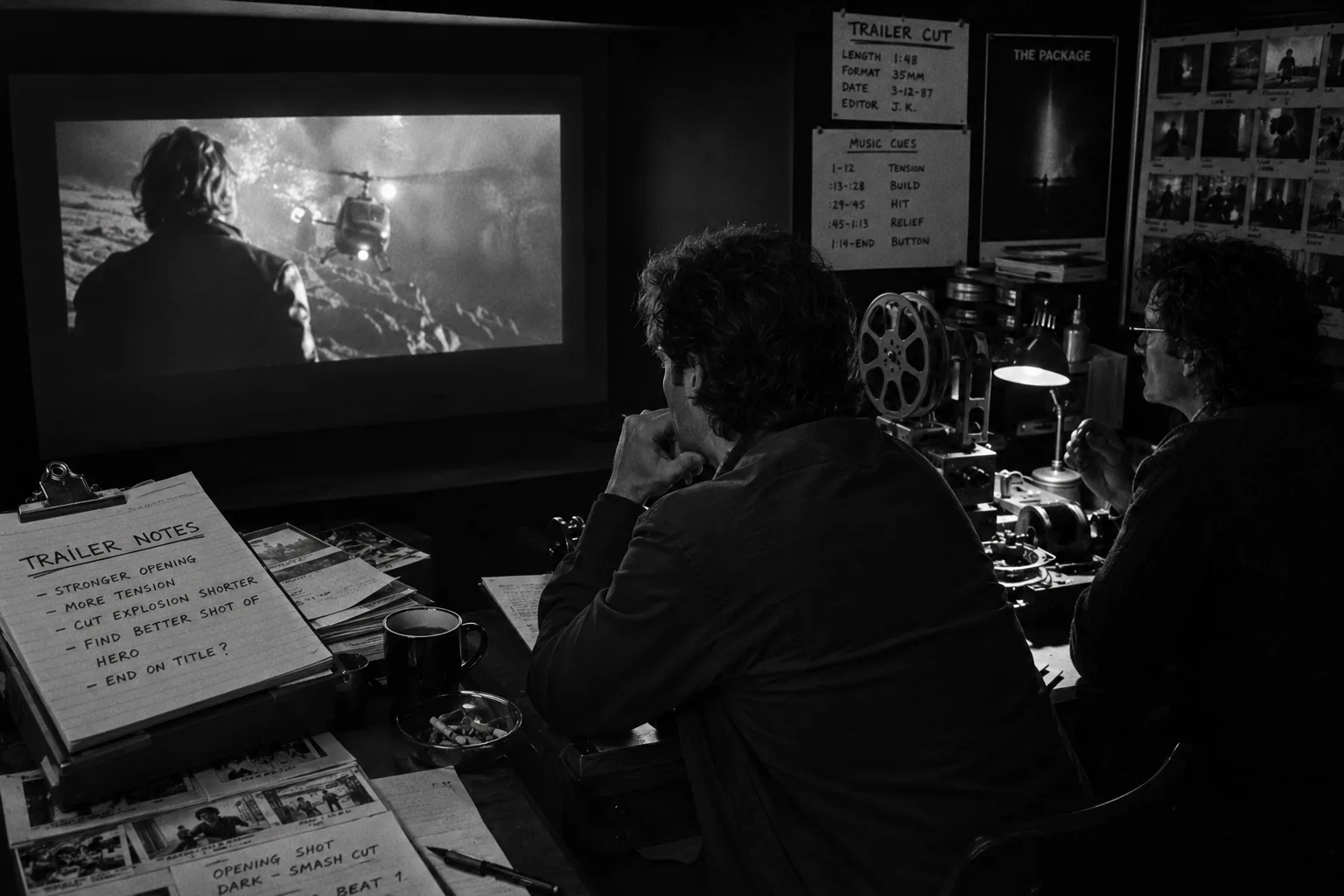
Use an AI movie trailer maker to generate trailer material, not to skip editing. The best results start with beats, references, selected takes, tight title cards, sound, and a review pass that treats the trailer like a real cut.
What is an AI movie trailer maker?
An AI movie trailer maker helps create trailer-style material from prompts, scripts, images, or existing footage, but it rarely replaces the editor. Treat it as a source of shots and variations. You still need a beat map, references, title cards, sound direction, and a final review pass.
That distinction saves time. A raw generated clip may look cinematic and still fail as a trailer shot because it has no cut point, no story turn, or no readable action at thumbnail speed. Trailer work rewards selection. You ask the tool for options, then you judge those options against a cut.
| Tool can help with | Editor still owns |
|---|---|
| Concept shots, alternates, mood tests, rough motion, title-card backgrounds | Beat order, pacing, continuity, sound, typography, approvals, final handoff |
| Fast visual exploration from prompts and reference frames | Choosing what sells the story and cutting what only looks impressive |
Start with trailer beats, not a giant prompt
Write the trailer as a sequence of beats before you generate footage. A trailer needs a hook, a clear premise, rising pressure, a visual reveal, a title card, and a final button. When those jobs sit in order, every prompt has a purpose.
Keep the beat map small enough to edit. Six beats usually beat twenty scattered ideas. The point is not to describe the whole film. The point is to decide what the viewer should feel next.
| Beat | Job | Editor check |
|---|---|---|
| Hook | Open with the image, line, or sound that makes the viewer lean in. | Can someone understand the genre and question in two seconds? |
| Premise | Show who wants what, where the story lives, and why this trailer exists. | Does the viewer know what kind of ride they joined? |
| Escalation | Stack pressure with faster images, harder choices, and sharper cuts. | Does each shot raise the temperature instead of repeating the same idea? |
| Signature visual | Reveal the frame people will remember after the trailer ends. | Would this image earn a pause in the edit? |
| Title card | Turn the story with a phrase, date, name, or promise. | Does the card change meaning, or does it only label the obvious? |
| Final button | End on a sting, joke, threat, visual snap, or clean call to watch. | Does the last beat feel intentional rather than leftover? |
If you want a broader film-planning pass before the trailer, pair this structure with the AI movie maker guide and the AI filmmaking workflow page.
Build reference frames before you generate
Reference frames give an AI trailer maker fewer excuses to wander. Use them to pin character identity, wardrobe, locations, color, camera distance, typography, and mood. The goal is not pretty inspiration. The goal is a usable visual brief that different generated takes can still obey.
Build a small reference set for each beat: one character frame, one location frame, one tone frame, and one motion note. Add a typography sample if title cards will carry the trailer. Then write prompts that name what must stay fixed and what can change.
Reference prompt example:
Use the lead character reference for face, coat, and age. Night exterior, wet street, low camera, slow push toward the character as police lights reflect behind her. Tense thriller tone. Keep the action readable in a two-second trailer cut.
For shot planning examples, use the storyboard examples guide before you generate. A storyboard does not need polish here. It needs intent: frame size, subject, action, and the reason the shot belongs in the trailer. For stylized teaser concepts, the AI animation generator guide helps keep animated-looking shots tied to references and review.
Generate takes like dailies
Generate several short takes for each trailer beat, then review them like dailies. Look for readable action, clean faces, matching wardrobe, stable props, and usable motion into or out of a card. Reject clever clips that break the story, even when they look expensive. The AI video takes and dailies tutorial gives that review pass a reusable status system.
Review with a simple scoring pass. Does the shot sell its beat? Does it cut before the motion falls apart? Does it match the previous image? Does the character still look like the same person? Keep the answers attached to the take, not buried in chat.
- Keep: clean motion, strong silhouette, obvious emotion, easy cut point.
- Fix: late action, soft identity, weak continuity, noisy frame edges.
- Reject: unreadable action, broken anatomy, wrong genre, story confusion.
Edit trailer rhythm with title cards and sound
The edit makes the trailer. AI clips become a trailer only after you control rhythm, contrast, typography, music, voice, silence, and the final button. Build pressure with shorter shots, let one image breathe when it matters, and use title cards as turns, not labels.
A useful first assembly can run on this rhythm: two seconds for the hook, six to ten for the premise, twenty to forty for escalation, one longer hold for the signature image, then a title card and final button. Trim from there.
| Element | Use it for | Avoid |
|---|---|---|
| Title cards | Premise turns, stakes, release information, chapter breaks | Explaining shots the viewer can already read |
| Voiceover | Point of view, irony, setup, one clean emotional thread | Covering every gap in the footage |
| Music and hits | Momentum, genre promise, reveals, final impact | Flattening every shot into the same intensity |
Title card examples:
- “One signal survived.”
- “The city forgot her name.”
- “This fall, every memory has a price.”
AI movie trailer maker workflow
Use this repeatable workflow when the trailer matters enough to review. Move from beat plan to references, then generate short takes, select the strongest options, edit for rhythm, and send a clean handoff. Do not ask one prompt to carry every job.
- Write the trailer beat map: List the hook, premise, escalation, signature visual, title card, and final button before you open a generator.
- Collect reference frames: Gather character, location, tone, typography, and camera references so generated takes share the same target.
- Prompt one beat at a time: Give each generated clip a single job, such as reveal the lead, build tension, or sell scale.
- Generate multiple takes: Create short variants for each beat, then compare readability, continuity, motion, and cut points.
- Select and trim: Choose the clearest take for each beat, remove slow starts, and cut around motion that feels usable.
- Add cards and sound: Place title cards where the story turns, then shape music, voice, hits, pauses, and final impact.
- Review and hand off: Share the cut with notes, approvals, selected takes, rejected takes, and any open fixes for the editor.
Use Lotix to keep the trailer workflow organized
Use Lotix to keep trailer work organized when beats, references, generated takes, approvals, and edit notes need one project record. It connects each clip to the beat it serves, so the editor can see why a take was selected or rejected. The Lotix product workflow shows how those beats can live beside projects, assets, shots, takes, and dailies.
Put the beat map in the project, attach references to the shots, generate or import takes, and review them with the same criteria the editor will use later. That keeps creative approvals tied to the actual trailer structure instead of scattered across files, threads, and half-remembered prompt experiments.
AI movie trailer maker FAQ
AI can help make trailer material, but a finished trailer still needs a script pass, visual references, generated variants, editorial rhythm, readable title cards, and reviewed audio choices. Treat each generated clip as source material for the cut, not as the trailer itself.
Can AI make a movie trailer from a script?
Yes. AI can help turn a script into trailer shots if you first extract the hook, conflict, character reveals, locations, and ending button. The script gives story direction, but you still need references, shot prompts, generated options, and an editor’s cut.
What should I include in an AI movie trailer prompt?
Include subject, action, setting, camera distance, motion, tone, duration, references, and the beat the shot must serve. Do not overload the prompt with the whole movie. A strong trailer prompt gives one clip one job and leaves room for editorial choice.
How long should an AI movie trailer be?
Most concept trailers work best when you design for 30, 60, or 90 seconds. Pick the length before generation because it controls shot count, card count, voiceover density, and music shape. Shorter trailers need fewer ideas and sharper cuts in the edit.
How do I edit AI-generated clips into a trailer?
Edit AI-generated clips by choosing the clearest take for each beat, trimming late starts, cutting on action, and using title cards to reset meaning. Add sound last enough to shape rhythm, but early enough to catch shots that never land.
Can I make an AI movie trailer for free?
Some tools offer free starts or limited trials, but free plans often change and may restrict export quality, watermarks, credits, music, or commercial use. Check the official terms for the tool you choose before you publish a trailer outside internal review.
Free workspace
Create your free Lotix workspace.
Plan your shots, manage your assets, generate takes with built-in Seedance, and keep generation spend visible with monthly tokens inside Lotix.
- Plan shots around scenes, references, and review needs
- Manage characters, locations, props, and production assets
- Generate Seedance takes with visible token usage