

How to Make an AI Short Film: Practical Production Workflow
Make an AI short film with a production workflow for story beats, scenes, shots, references, generated takes, dailies, approvals, and handoff.
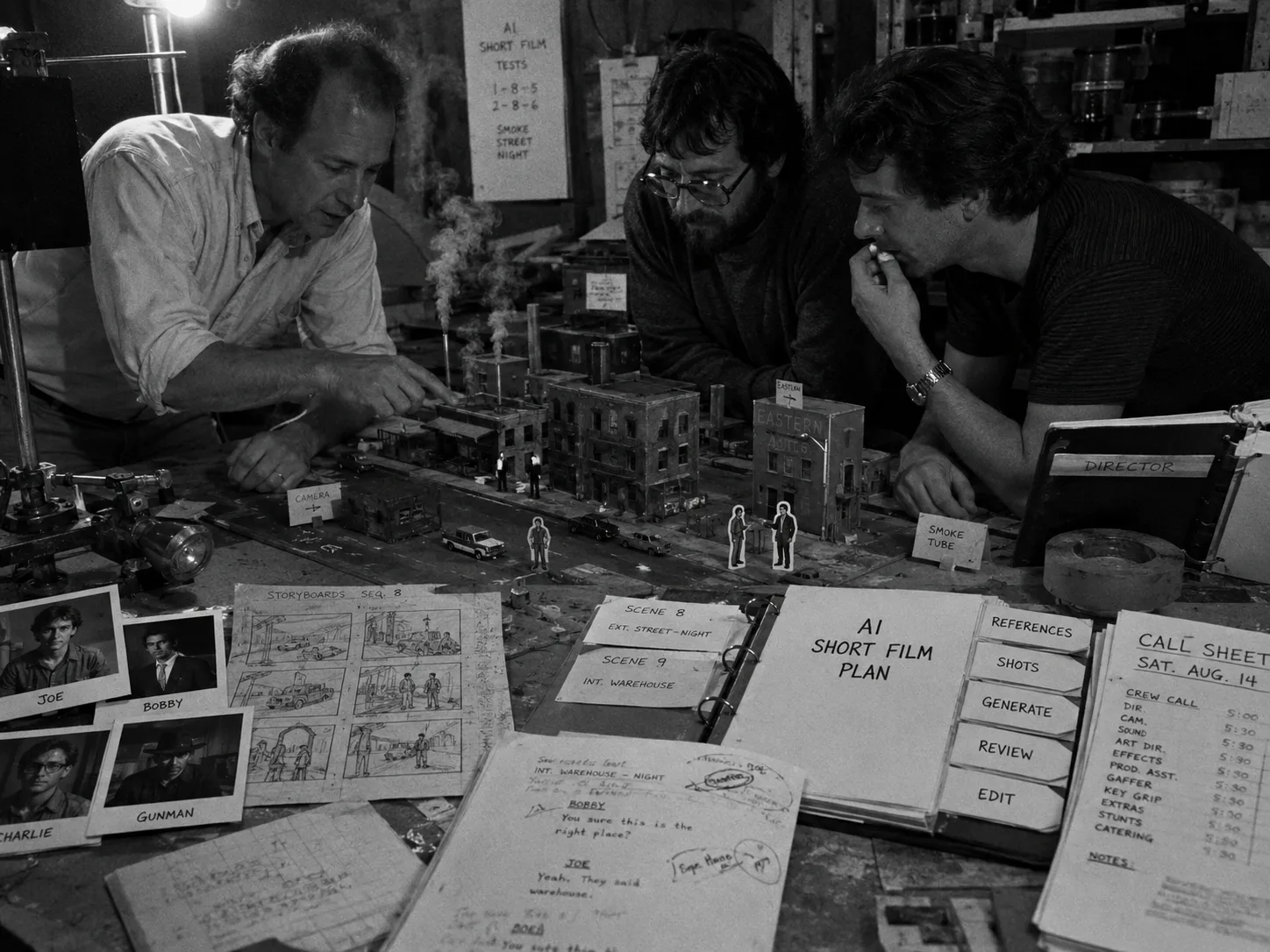
Make an AI short film by treating it like a small production, not a prompt experiment. Write the story beat, build the asset library, break the piece into scenes and shots, generate takes with references, review dailies, approve selects, and hand clean context to the edit.
The first project should stay small: one idea, one or two locations, a few recurring details, and a runtime you can finish. That constraint gives the model less room to drift and gives your team a clear way to judge each take.
How to make an AI short film step by step
To make an AI short film, turn the idea into a short production plan: define the story beat, create references, divide the script into scenes, write shot prompts, generate multiple takes, review dailies, approve selects, then move organized clips and context into the edit.
The workflow looks simple because each stage has one job. Do not ask a generator to hold the whole film in memory. Give it a shot plan, then judge the resulting take against that plan.
| Step | Production question | Output |
|---|---|---|
| Story beat | What changes for the character? | One-sentence premise and ending turn |
| Asset library | What needs to stay recognizable? | Characters, locations, props, wardrobe, and references |
| Scene list | Where does each beat happen? | Ordered scenes with cast, purpose, and continuity notes |
| Shot list | What must the audience see? | Shot codes, framing, action, references, and pass standards |
| Generation | Which take best serves the shot? | Generated takes tied to prompts and references |
| Dailies | What can move forward? | Rejects, maybes, selects, approvals, and regenerate notes |
| Handoff | What does post need to know? | Selected clips, scene order, trims, sound needs, and context |
The broader AI filmmaking guide covers the full production path. This article stays focused on getting one short across the line.
Start with a filmable story beat
A filmable AI short starts with one clear change on screen. Pick a character, a goal, an obstacle, and a turn that can play in a few shots. Smaller ideas give references more influence and make continuity easier to review during generation.
Think like a director with a short shooting day. A strong AI short film premise usually fits on a note card:
- Character: A night guard, runaway astronaut, street magician, courier, or lost child.
- Goal: Deliver a package, hide a secret, escape a room, prove a memory, find a missing object.
- Obstacle: Time, weather, surveillance, a locked door, a rival, a failing machine.
- Turn: The object changes meaning, the location reveals a secret, or the character makes a choice.
Keep the first version lean. One lead, one supporting presence, one main location, and one visual rule will teach you more than a crowded five-minute script. You can always expand the world after the workflow holds.
Build the asset library before you generate
The asset library gives the short film memory. Collect character references, location images, prop notes, wardrobe rules, frame anchors, and motion references before you create video. Each shot can then pull from the same source material instead of re-describing the world from scratch.
An AI short film generator can create useful footage, but it does not know your production rules unless you supply them. Build the visual world first.
| Asset | What to include | Production use |
|---|---|---|
| Character | Face, body, hair, age range, wardrobe, posture, expression range | Helps reviewers catch identity and costume drift |
| Location | Layout, era, color, weather, practical light sources, angles | Keeps scenes from changing place between shots |
| Prop | Shape, scale, wear, color, position, story function | Stops story objects from mutating or vanishing |
| Wardrobe | Outfit pieces, fabric, damage, accessories, continuity warnings | Gives each scene a visible continuity check |
| Reference video | Motion, camera movement, timing, blocking, staging | Guides movement that still images cannot show |
| Negative constraints | Extra characters, wrong era, unwanted text, style breaks, continuity errors | Tells the take what to avoid before review |
For recurring characters, use the character consistency workflow before the first generation pass. Character reference sheets and clear source images can help the team carry visual intent across shots, even though every take still needs review.
Break the script into scenes, shots, and acceptance criteria
A short film becomes manageable when every story beat has a scene, every scene has shots, and every shot has a pass standard. Write what the shot must show, what must stay consistent, and what would force a regenerate decision during dailies.
Do not write one giant prompt for the whole film. Break the story down the way a production team would: sequence, scene, shot, take. That grammar gives every clip a home.
| Story beat | Scene | Shots | Acceptance standard |
|---|---|---|---|
| The courier enters the alley | Scene 01, alley exterior | Wide, tracking medium, insert of cassette | Same jacket, wet pavement, cassette visible |
| The warning appears | Scene 02, pawn shop | Over-shoulder, close-up, reaction | Text on tape label reads as intended, no extra hands |
| The choice happens | Scene 03, rooftop | Wide silhouette, close-up, object insert | Character keeps cassette, skyline stays consistent |
Shot codes help everyone talk about the same clip. Use a simple pattern:
- S01-SH01: Establishing shot of the alley.
- S01-SH02: Medium tracking shot of the courier entering frame.
- S01-SH03: Insert of the cassette tucked inside the jacket.
- S02-SH01: Over-shoulder shot at the pawn shop counter.
The AI movie maker workflow uses the same production logic for longer movie-style projects. A short film just compresses the same discipline into fewer scenes.
Write shot prompts like production cards
A strong shot prompt describes one camera setup, one action, and one review target. Include subject, performance, environment, camera, lighting, duration, aspect ratio, references, frame anchors, and negative constraints so the generated take has a specific job inside the edit.
Write prompts the way you would write a shot card for a crew. The model needs screen information. The reviewer needs a standard. The editor needs to know why the clip exists.
Shot prompt pattern:
S02-SH03. Tight close-up of the courier’s hand turning over a cracked cassette on a pawn shop counter. Warm practical lamp, shallow focus, slow push-in, eight seconds. Use the courier wardrobe reference and cassette prop reference. Keep the jacket sleeve visible. No extra hands, no readable brand logos, no text changes on the cassette label.
That prompt does not promise a perfect take. It gives the take a target. If the cassette changes shape, the reviewer can name the miss. If the slow push-in works but the hand looks wrong, the next pass has a clear fix.
For Seedance-specific prompt structure, use the Seedance 2.0 prompt guide and the Seedance shot planning workflow.
Generate takes in batches, not isolated clips
Batch generation keeps the short film moving while preserving judgment. Run several takes for a defined shot, keep the prompt and reference stack attached, compare outcomes against the same standard, and decide whether to approve, hold, reject, or regenerate for the next pass.
Treat each generated clip as a take, not a finished scene. A take belongs to a shot. A shot belongs to a scene. A scene belongs to the story. Once that chain breaks, the project turns into random files.
In Lotix, current video generation support is centered on Seedance 2.0 and Seedance 2.0 Fast. Generated videos become takes tied to shot plans, references, prompt/model/settings snapshots, and review states.
| Batch pass | Goal | What to save |
|---|---|---|
| Pass 1 | Test framing, action, and reference strength | Prompt, references, model/settings snapshot, and failure notes |
| Pass 2 | Fix the main miss from pass 1 | Changed prompt sections and the reason for the change |
| Pass 3 | Create edit options only for promising shots | Selects, maybes, approval state, and handoff notes |
For connected scenes, the Seedance 2.0 multi-shot workflow explains how to plan continuity across several shots instead of judging each output alone.
Review dailies before the edit
Dailies turn generated outputs into production decisions. Review each take against shot intent, continuity, reference match, performance, camera movement, and edit usefulness. End every review with a state: reject, maybe, select, approve, or send the shot back for another pass.
Do not wait until the edit to decide what worked. Dailies give the short film a pressure check while the prompt, references, and shot plan still feel fresh.
Use a narrow review order:
- Story job: Does the take communicate the beat?
- Continuity: Did character, wardrobe, prop, location, and screen direction hold?
- Reference match: Did the take follow the approved source material closely enough?
- Camera and action: Does the movement fit the shot plan?
- Edit value: Can the editor cut into and out of the clip?
- Decision: Reject, maybe, select, approve, or regenerate with a specific change.
Lotix supports review states for generated takes and collects successful generated takes in dailies with links back to shot and take context. The Lotix review workflow exists for that exact production habit: decide what the team has, then move only usable material forward.
Prepare a clean handoff for post
The editor needs more than exported clips. Package selected takes with scene order, shot codes, trim notes, continuity warnings, approved references, sound needs, and known misses. That context helps post-production make editorial choices without reopening every prompt or guessing why a take was approved.
The handoff should feel boring. Good. The editor can open the material and understand the scene without asking which file is current.
| Handoff item | Include |
|---|---|
| Selected takes | File names, shot codes, approval state, and preferred order |
| Scene context | Scene purpose, turning point, location, cast, and continuity notes |
| Prompt context | Final prompt, references, negative constraints, and settings snapshot |
| Trim notes | Best in/out points, weak starts, and failed endings |
| Sound needs | Dialogue, ambience, music direction, silence, or effects targets |
| Missing shots | Inserts, reactions, transitions, or clean plates the edit still needs |
AI footage often reveals missing coverage once the edit begins. That is normal. Send those needs back into the shot list instead of creating loose prompt tests outside the project record.
Where Lotix fits in the AI short film workflow
Lotix fits when the project needs production memory: assets, sequences, scenes, shots, references, generated takes, dailies, approvals, roles, tokens, and handoff context. It gives AI video work a filmmaker-native structure without pretending one prompt can create the whole film by itself.
The limit of a pure generator shows up after the first promising clip. The team starts asking production questions: Which scene is this? Which character reference did we use? Which take did the director select? What still needs approval? What does the editor receive?
Lotix organizes those answers inside one project:
- Production asset library: characters, locations, props, wardrobe, and reference videos.
- Story flow: sequences, scenes, and shots with production context.
- Shot composer: structured prompts, references, frame anchors, duration, aspect ratio, resolution, camera, lighting, and negative constraints.
- Seedance takes: generated takes through the current Seedance-focused provider path.
- Dailies and review states: unreviewed, rejected, maybe, selected, and approved.
- Team roles: owner, producer, director, assistant director, editor, commenter, and viewer.
- Governance layer: generation requests route through a central gateway before provider execution.
That structure keeps decisions attached to the work so the short film can move from idea to approved takes without losing the trail.
See the Lotix product workflow for the full project structure, or jump to the production flow for assets, scenes, shots, takes, and dailies.
AI short film production templates
Templates keep a tiny film from turning into a pile of nearly identical files. Use a scene list, shot list, reference pack, take review sheet, and handoff checklist so the team can see what exists, what passed, and what still needs work.
Scene list template
| Field | Example |
|---|---|
| Scene code | S02 |
| Slugline | Interior pawn shop, night |
| Story job | The courier learns the cassette is recording future audio |
| Characters | Courier, shop owner |
| Location | Pawn shop counter, warm practical light |
| Props | Cracked cassette, receipt book, desk lamp |
| Continuity notes | Wet jacket, torn cassette label |
| Required shots | Over-shoulder, cassette insert, reaction close-up |
Shot list template
| Field | Example |
|---|---|
| Shot code | S02-SH03 |
| Shot title | Cassette warning insert |
| Framing | Tight close-up |
| Action | Hand turns cassette over; hidden label appears |
| References | Sleeve, cassette prop, pawn shop counter |
| Camera and lighting | Slow push-in, warm lamp |
| Pass standard | Label remains stable; no extra hands; cassette fills frame |
Take review template
| Field | Example |
|---|---|
| Take ID | S02-SH03-T04 |
| Review state | Selected |
| What worked | Push-in, lamp reflection, hand speed |
| What failed | Label flickers at the end |
| Edit note | Use first six seconds only |
| Next action | Generate one alternate with steadier label |
Handoff checklist: selected takes have shot codes, approved takes have scene order, prompt and reference context stays attached, known continuity misses are named, trim notes point to usable sections, and missing inserts return to the shot list.
AI short film FAQ
A first AI short works best when the scope stays narrow and every clip has context. The main questions usually come down to runtime, tools, consistency, commercial review, and editing. Answer those before generation starts, then keep the answers attached to the project.
How long should my first AI short film be?
Keep the first AI short between 30 seconds and two minutes. That range gives you enough story movement to test scenes, references, shot continuity, dailies, and editing without forcing a large cast, many locations, or dozens of generated shots on day one.
A shorter runtime also makes reshoots less painful. If one key shot fails, you can regenerate or rewrite around it instead of repairing a five-minute structure with weak coverage.
What tools do I need to make an AI short film?
You need a writing space, reference storage, an AI video generator, an editing tool, and a production workspace when the project has multiple shots. The generator creates footage, but the workspace keeps scenes, prompts, references, takes, and approvals connected for review.
The exact mix depends on your piece. Keep categories separate: writing, references, generation, review, editing, sound, and delivery. Lotix sits in the production workspace layer around AI video generation, dailies, approvals, and handoff context.
How do I keep characters consistent in an AI short film?
Consistency comes from repeated references, narrow shot goals, wardrobe rules, and strict review. Build character assets before generation, reuse the same source images where possible, track what changes between takes, and reject shots that break the agreed visual identity on screen.
Lotix supports production assets for characters, locations, props, wardrobe, and reference videos. Character reference sheets can be generated from source images and project character profile data to help teams carry visual intent across shots.
Can I use an AI generated short film commercially?
Commercial use depends on the model terms, source inputs, likeness permissions, music rights, voice rights, brand usage, platform policies, and client requirements behind the finished film. Treat that review as part of delivery, document human creative decisions, and get qualified legal guidance when the stakes require it.
Build that check into the handoff instead of leaving it for the final upload. A clean project record makes it easier to review what the team used, changed, approved, and delivered.
Is Lotix an AI short film generator?
Lotix is an AI film production workspace, not just a prompt box. Teams use it to organize projects, production assets, sequences, scenes, shots, Seedance takes, dailies, approvals, roles, token billing, and governance workflows around AI video generation inside one project.
Current video generation support in Lotix is centered on Seedance 2.0 and Seedance 2.0 Fast. The larger value is the production structure around those takes: references, review states, dailies, approvals, roles, and handoff context.
Start creating with a production plan
Open the project before you generate the next clip. Add the story beat, asset library, scenes, shots, references, take review states, and handoff needs, then generate only the shots your short can actually use. That discipline keeps the film moving.
Start with one scene. Build the references, write three shot cards, generate takes, review dailies, approve one select, and hand that context to the edit.
Free workspace
Create your free Lotix workspace.
Plan your shots, manage your assets, generate takes with built-in Seedance, and keep generation spend visible with monthly tokens inside Lotix.
- Plan shots around scenes, references, and review needs
- Manage characters, locations, props, and production assets
- Generate Seedance takes with visible token usage